
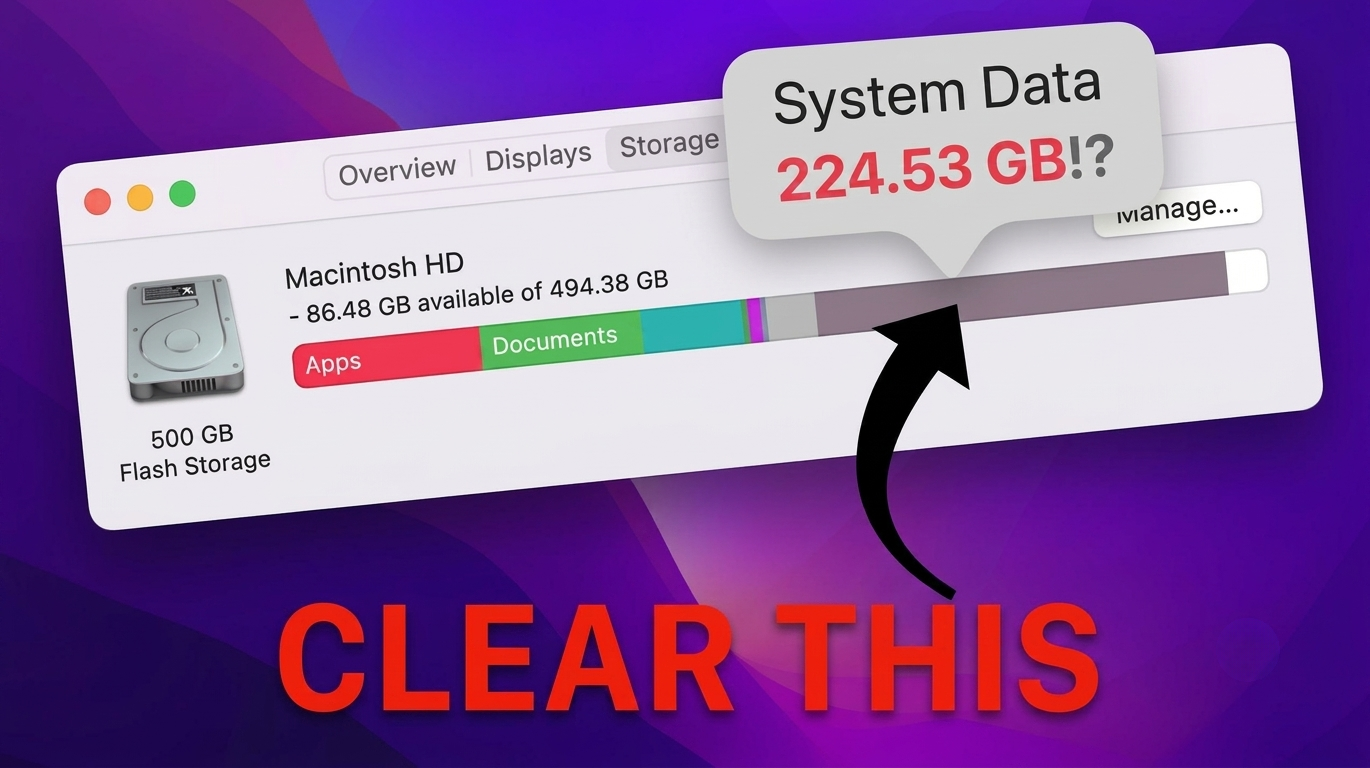
That "System Data" number? It's hidden junk.
macOS lumps it all into one vague number — and won't say what's actually inside. MacDetox breaks it down and clears it in seconds.
FEATURES
What MacDetox actually does
Four things Finder can't do.
See what's actually inside
MacDetox opens up that number file by file — so you see exactly what's safe to delete, and nothing your Mac actually needs.
Uninstalls that actually uninstall
Dragging an app to Trash leaves its support files and login items behind. MacDetox removes the whole app — not just the icon.
Your files never leave your Mac
Every scan runs locally. No cloud uploads, no account, no tracking. The app can't see your data even if it wanted to.
Instant on Apple Silicon
Built native for M-series. Full-disk scans finish in seconds and sip battery instead of draining it.
How it works
Three steps. No guesswork.
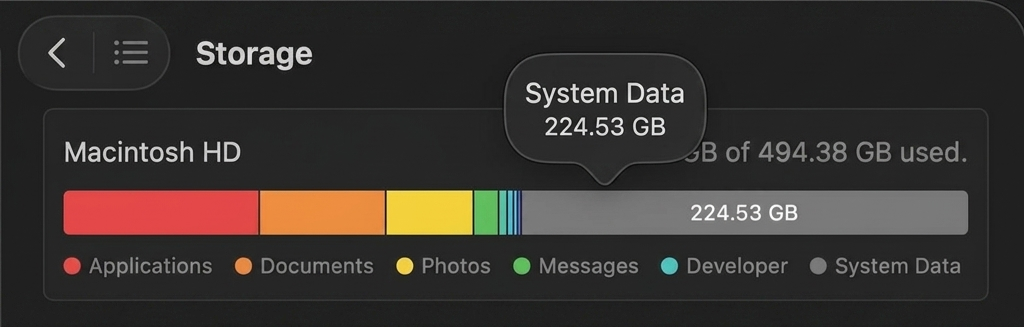
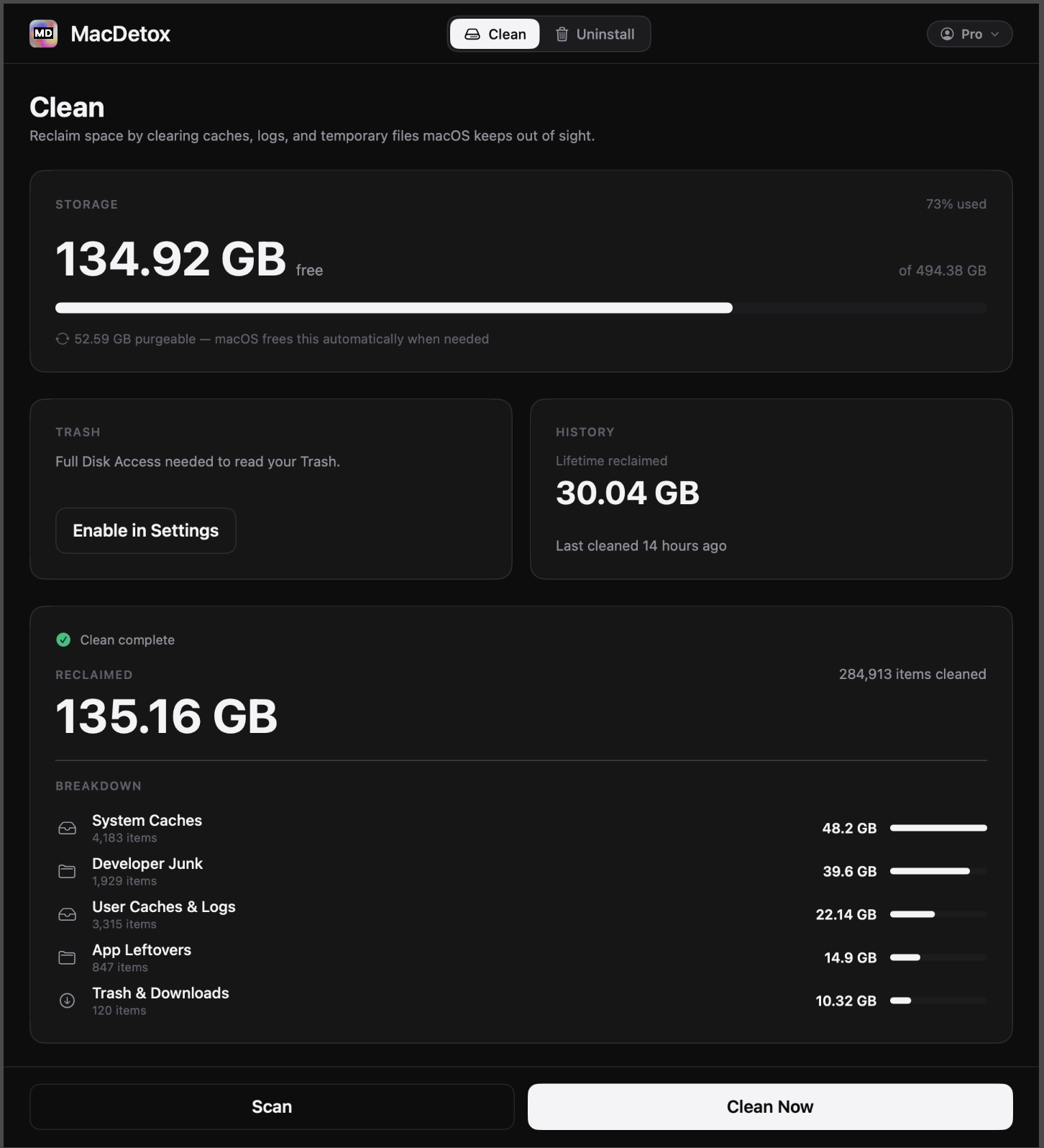
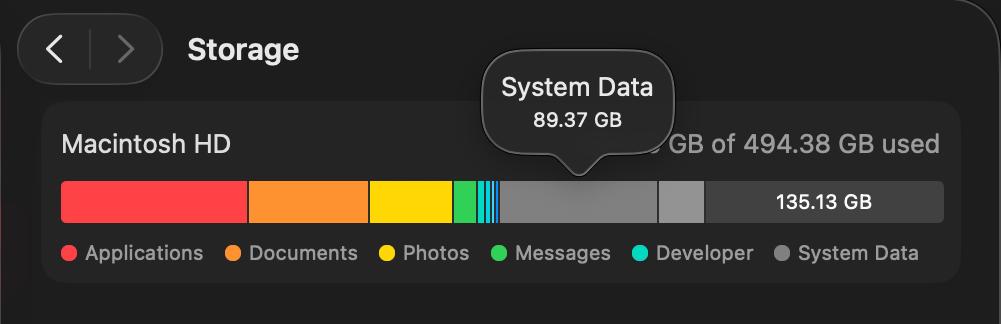
MacDetox scans deep. Your personal files are never touched.
Before
Cleaning
After
PRICING
Choose Your Plan
No hidden fees. Cancel anytime. Not satisfied? We'll refund it — no questions asked.
One-Time Clean
$4.99
Perfect for a quick cleanup
- Single clean session
- All cleaning features
- No subscription required
Weekly Pro
$2.99 /week
Stay clean every week
- Unlimited cleaning
- All features unlocked
- Priority support
- Regular updates
Monthly Pro Most Popular
$9.99 /month
Best value for regular users
- Unlimited cleaning
- All features unlocked
- Priority support
- Regular updates
Annual Pro Save 17%
$99.99 /year
Maximum savings for power users
- Unlimited cleaning
- All features unlocked
- Priority support
- Regular updates
REVIEWS
Real Users. Real Results.
No marketing claims. Just honest results from people who tried MacDetox on their own Macs.
Freed 56GB in one scan. Instantly became part of my daily workflow.
I tried to uninstall Figma manually but turns out it left 2GB of junk behind. MacDetox removed the app, cache and helper daemons in a single click.
My MacBook went from 2GB free to 42GB free in under 2 minutes. Saved me $$$ and a headache.
Adobe apps leave trash everywhere. MacDetox wiped old Premiere caches and hidden media folders I didn't even see in Finder.
FAQ
Questions people actually ask
Everything you need to know about MacDetox and how it works.
Why is my Mac still full even after deleting files?
Because macOS doesn't remove cached data, app leftovers, logs, Xcode junk, or temporary system files. Those can stack into tens of gigabytes — and Finder doesn't show them.
How is MacDetox different from the built-in macOS storage cleanup?
macOS only clears a small portion of temporary files. MacDetox scans deep developer caches, browser junk, app leftovers, GPU logs, Homebrew trash, and more — the things Apple never touches.
Can MacDetox remove apps completely with all leftovers?
Yes. The Full Uninstall feature removes the app + hidden support files, caches, launch agents, preferences, and daemon processes. No more "uninstalled" apps taking 2GB in ~/Library.
Will MacDetox actually make my Mac faster — or just free space?
Both. Freeing disk space improves SSD performance, but we also remove background services, launch agents, and bloated caches that slow the system down — especially on older Macs.